
March 7, 2014 07:28 by
 Diego
Diego
ASP.NET MVC 5 included with the recently released Visual Studio 2013 Developer Preview enables developers to apply authentication filters which provides an ability to authenticate users using various third party vendors or a custom authentication provider. However, these filters are applied prior to invoking of authorization filters. If you have used ASP.NET MVC before, you probably have used AuthorizationFilters. Authorization filters allow you to perform authorization tasks for an authenticated user. A good example is Role based authorization. When you authenticate a user, you are verifying the identity of a user. If you need to verify a user in an MVC application it is probably because you are building an application that restricts access to specific users. This is completely separate from authorization, which is determining whether a specific person is allowed to do certain action.

In this article i would like to explain how to use the new Authentication Filters included in the ASP.NET MVC 5 preview.
Here i am explaining about.
- Create New Project. Open Visual Studio 2010 >> New Project >> Select ASP.NET MVC5 Web Application and Click Ok, Then select MVC for the ASP.NET project type.
- In order to create an Authentication filter, you must implement the IAuthenticationFilter. Below is the implementation of ASP.NET MVC’s IAuthenticationFilter.
public class BasicAuthAttribute: ActionFilterAttribute, IAuthenticationFilter.
- Create the OnAuthenticationChallenge method accepts AuthenticationChallengeContext argument and its implentation looks like as shown below :
public void OnAuthenticationChallenge(AuthenticationChallengeContext filterContext)
{
var user = filterContext.HttpContext.User;
if (user == null || !user.Identity.IsAuthenticated)
{
filterContext.Result = new HttpUnauthorizedResult();
}
}
- write this code for BasicAuthAttribute implementation:
using System.Web.Mvc;
using System.Web.Mvc.Filters;
namespace VSMMvc5AuthFilterDemo.CustomAttributes{
public class BasicAuthAttribute : ActionFilterAttribute, IAuthenticationFilter{
public void OnAuthentication(AuthenticationContext filterContext){}
public void OnAuthenticationChallenge(AuthenticationChallengeContext filterContext){
var user = filterContext.HttpContext.User;
if (user == null || !user.Identity.IsAuthenticated)
{
filterContext.Result = new HttpUnauthorizedResult();
}
}
}
}
If you look at the above CustomAuthenticationAttribute, there are two interesting methods required to implement.
- OnAuthentication. This method creates an AuthenticationContext using the original principal, and executes each filter’s OnAuthentication method.
- OnAuthenticationChallenge. This method runs after the OnAuthentication method. You can use OnAuthenticationChallenge method to perform additional tasks on the request.
Note : The key thing to remember is that OnAuthenticationChallenge does not necessarily run before every other Action Filter. It can run at various stages.
The new IAuthenticationFilter provides a great ability to customize authentication within an ASP.NET MVC 5 application. This provides a clear separation between authentication and authorization filters. OnAuthentication and OnAuthenticationChallenge methods provide greater extensibility points to customize authentication within ASP.NET MVC framework.
- The BasicAuthAttribute class can be easily tested by applying it to the HomeController class by opening the file and adding the following line of code :
using VSMMvc5AuthFilterDemo.CustomAttributes;
- Here we execute the CustomAuthenticationAttribute only for HomeController’s class as shown below :
BasicAuthAttribute]
public class HomeController : Controller
- The last, when you run the application, you should now be automatically redirected to:
The login page.
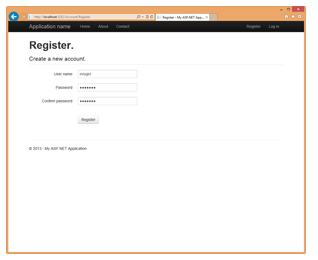
Register Page.
Once your user is registered, you'll be automatically redirected to the homepage.
If you looking for windows web hosting services who support ASP.Net MVC 5 please visit our Site ASPHostPortal.com