
November 27, 2013 05:27 by
 Ben
BenThe IIS Manager is the graphical user interface of IIS, Microsoft's web server. In this article I will give you a step by step guide on how to set up the connection string with IIS Manager.

1. Open IIS Manager and connect to your site. You can start it from the command prompt or Start menu.
Command prompt
- On your desktop, click Start > Run.
- Type inetmgr and click OK.
Start menu
On your desktop, click Start > Programs or All Programs > Administrative Tools > Internet Information Services (IIS) Manager.
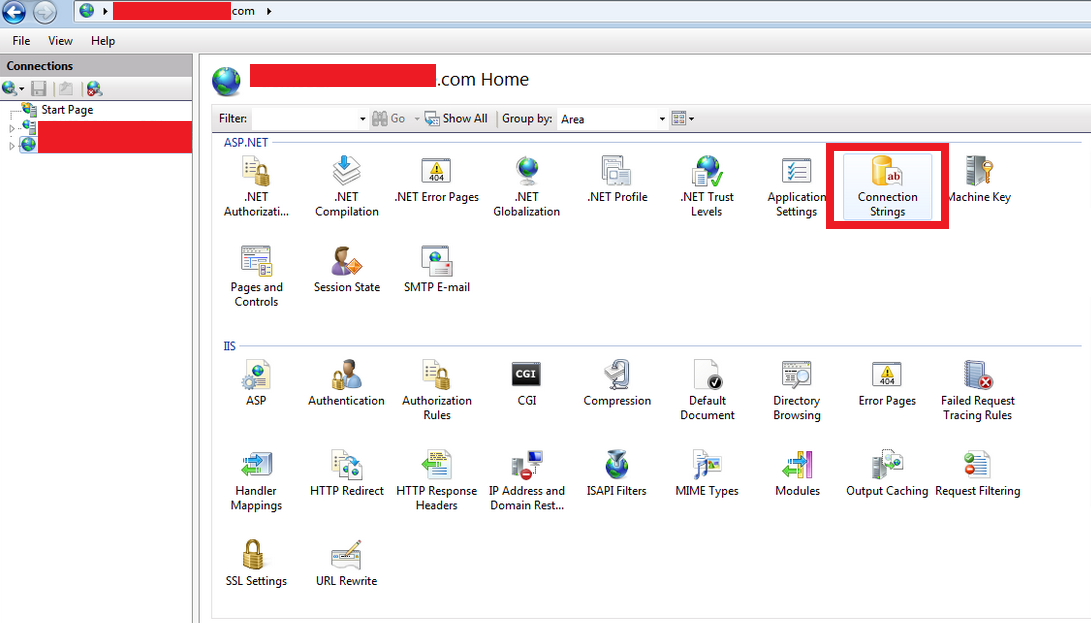
2. Once connected, click on Connection Strings:
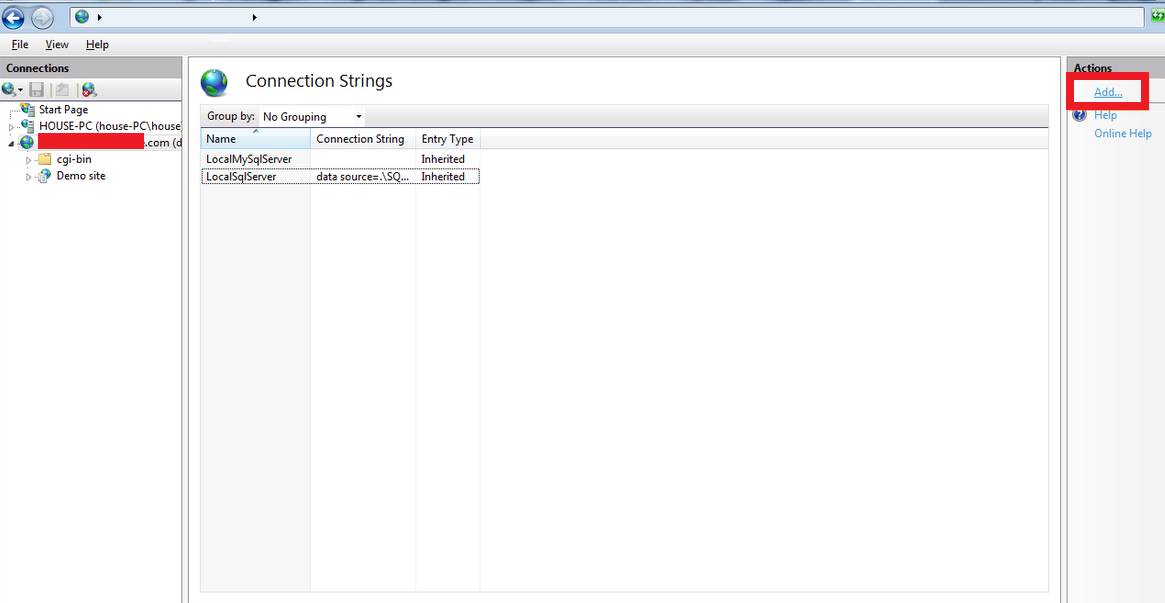
3. Click on Add to configure a new connection string:
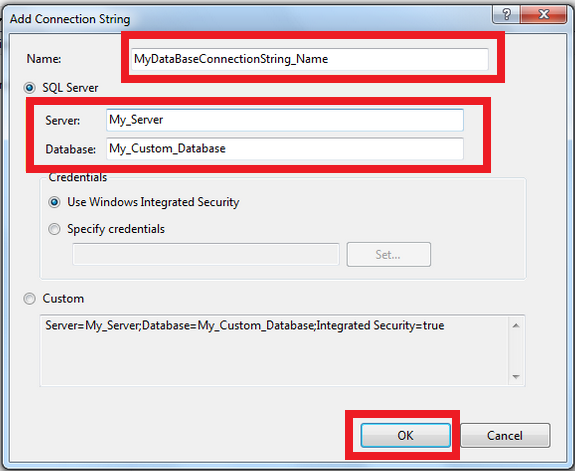
4. First, add the connection string name. Make sure it is the same connection string that you use in your ASP application. Then add the server’s name and also the name of the database:
connection 45. Before saving, we have to set up the credentials to connect to your database. Set Credentials to ‘Specify Credentials‘ and then click on ‘Set…‘
6. Enter the username and password of the database that your application will be using and click ok:

7. Check that the information is correct and click on ‘Ok‘:

8. And that’s it! Your Connection String has been configured!

For more info please visit ASPHostPortal.com - Best Cheap and Reliable Windows ASP.NET Hosting